
Notice
Recent Posts
Recent Comments
Link
| 일 | 월 | 화 | 수 | 목 | 금 | 토 |
|---|---|---|---|---|---|---|
| 1 | 2 | 3 | 4 | 5 | 6 | |
| 7 | 8 | 9 | 10 | 11 | 12 | 13 |
| 14 | 15 | 16 | 17 | 18 | 19 | 20 |
| 21 | 22 | 23 | 24 | 25 | 26 | 27 |
| 28 | 29 | 30 | 31 |
Tags
- node
- 깃설정
- 인텔리제이
- serialVersionUID
- Unexpected token
- IntelliJ
- 비주얼스튜디오코드
- npm cache clean
- tomcat한글
- 실행모드
- 인텔리J
- 깃허브
- github
- visualstudiocode
- vue2
- firstcommit
- NPM cache
- vsc
- gitignore
- bundling
- vuejs
- 브랜치
- git
- node_modules
- Vue.js
- Git가져오기
- vscode
- vue-meta
- 깃허브설정
- npm
Archives
- Today
- Total
끄적이고 기록하는 나의 블로그
GitHub: Make sure you configure your 'user.name' and 'user.email' in git. 본문
프로그래밍
GitHub: Make sure you configure your 'user.name' and 'user.email' in git.
toeun 2021. 1. 31. 22:57React 사이드 프로젝트 셋팅하는데에..
몇가지 js 파일들을 생성하고 여느때와 같이 git에 first commit 하려는데 이런 alert창이 떴다.
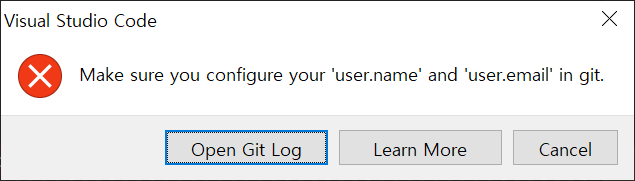
구글링해보니, 하기 명령어를 수행해서 user.name과 user.email을 등록하라고 한다.
git에 대한 설정정보를 작성하는 것 같았다.
git config --global user.name '유저쩜네임'
git config --global user.email '유저@쩜.이메일'
그리고 first commit이 잘 됐다!
그런데.. 하던대로 내 origin에 push 하려는데 잘 안됐다!
git remote add origin https://gitHub.com/you/youre-repository
git push -u origin master
알고보니.. 내 GitHub에서 master 브랜치가 아닌 main 브랜치 default 브랜치로 설정되어 있던 것..
default 브랜치를 master로 변경하니 push한 소스들을 잘 볼수 있었다. ;-)
'프로그래밍' 카테고리의 다른 글
| IntelliJ tomcat 한글 깨지는 증상 해결하기 (0) | 2021.02.01 |
|---|